Monday, April 6, 2020

Making a 22nd century home


3rd Grade

Making a 22nd century home


In this activity, you will watch a video on Sustainable Development. I know those sound-like big words so lets break it down. Sustainable means to be able to do something for a long time. Sustainable energy is wind, water, and solar. Development means to build and create many things like cars, homes, businesses, and many others.

1.  Watch the video

2.  Draw a design your 22nd century home (How will you heat it? Or cool it down in the summer? Get water? electricity?

3.  Label all the parts of your design

4. (Optional) then make a mockup (model) of your house using cardboard or paper.

5.  Take a video or a picture of your 22nd Century home.

6. Upload your picture or video to Padlet.

7.  Tell us about it in Padlet you can use the mic feature and tell about it or you can type your description.

8. Remember to put your name in the title of your Padlet post.

9. Have fun Your Imagination is Your Only Limitation!

10.Remember you have until next Wednesday to turn this in.


Sustainable Development video

What is Solar Power?


What is Hydro Power?


What is Wind Power?


If you need any help or have questions

 please feel free to email me at: 

april.leonard@ isd47.org


Friday, April 3, 2020

Stop Motion Challenge #2


4th & 5th grade
Stop Motion Challenge
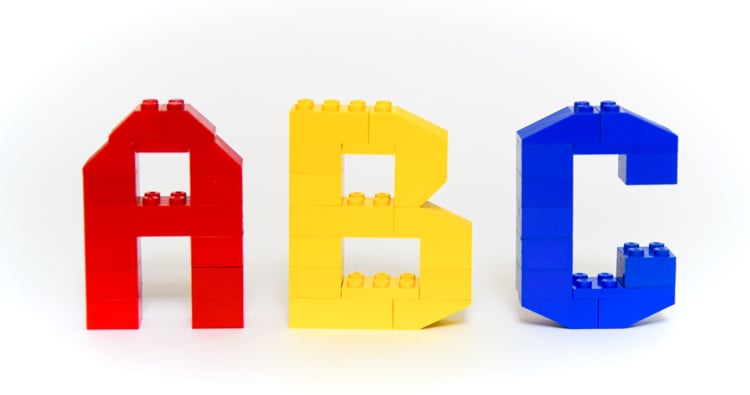
LEGO Alphabet

CHALLENGE #2: BUILD-UP OF A LETTER
1.  Make a small build-up of the first letter of your name or your initials
2.  Have the pieces come out and form the letter
3.  You must use all of the following: titles, (optional music…I added this by playing music from another device out load while I recorded, like the voice-over.) If you do add music make sure you give credit by taking pictures of the artist and their song title
4.  You need to use your pictures forward and backward to have your letter built and taken down.
Tips:
1.  Build the letter first and then plan out how it will come together
2.  For a more advanced build-up, have the Lego come out and then build the letter. You might want to slide the bricks on the baseplate rather than sticking them down each time.
3. Make a holder for your iPad if you do not have your kickstand use your imagination there are lots of ways to accomplish making your own iPad holder

Alternative Building Materials: If you don't have Legos you can use Play-doh, Blocks, Clay, paper, cardboard, or K'nex)


Link to Padlets


If you need any help or have questions

 please feel free to email me at: 

april.leonard@ isd47.org

Saturday, March 28, 2020

First grade Distance Learning Week #1


1st Grade Distance Learning Week #1


This is the first official week of distance learning.
We are all trying new things and hope that our students get the best we can offer. We don’t want families to feel stressed during this learning period, we recognize and realize that this will take a while before everyone finds a rhythm and routine. This week’s lesson is a simple beginning and hopes for new and exciting ways to share our learning.

Click on the link below to lead you to this week's lesson.


If you need any help or have questions

 please feel free to email me at: 

april.leonard@ isd47.org

Thursday, March 26, 2020

Kindergarten Distance Learning Week #1


This is the first official week of distance learning.

We are all trying new things and hope that our 

students get the best we can offer. We 

don’t want families to feel stressed during this 

learning period, we recognize and realize that 

this will take a while before everyone finds a 

rhythm and routine. This week’s lesson is a 

simple beginning and hopes for new and exciting 

ways to share our learning.

Click on the link below to lead you to this week's lesson.


If you need any help or have questions

 please feel free to email me at: 

april.leonard@ isd47.org


Tuesday, March 24, 2020

Be A Maker

Story Time:

"Be A Maker" by Katey Howes 

This story tells about how to be a "maker" and even what "maker" might do. 
The pictures are beautiful to look at 
with lots of fun little details to see on 
each page. I hope this book inspires 
you to be a creative "maker." 

Enjoy the story. 


If you need any help or have questions

 please feel free to email me at: 

april.leonard@ isd47.org


Monday, July 1, 2019

Coding in Elementary Tech

Learning to code is a fun journey. I have to say I have watched my students learn to communicate, problem solve, collaborate, and cooperate better than I could have ever imagined.
Is this is easy to teach? Yes and No. Kids are naturally curious they want to learn new things but they have to be interesting to them and they have to be able to see a reason for them to want to learn it.
So, what personal gain do they receive from learning to code? They get to create works of art or animate characters to share ideas with others in a fun and interesting way. Some students create games and put their own personal twist to it or they remix other's creations and add to it to make it even better.
Do all my students LOVE code? No, for some it is extremely difficult but they always try and even if they don't "love" it, they like it and want to master it.
How do I teach kids to code?
Each grade level I teach starts at different stages. In Kindergarten I start with using Code-a-pillars these are made by Fisher Price and are meant for preschool to age 6 to learn to code. This clever little insect robot can read different sections of code to move around the room. I create games for them to play and they are learning basic code with every segment they added.

Monday, March 18, 2019

Coding with Scratch


Scratch.mit.edu

I first encountered Scratch with an opportunity that came through my email, it was labeled "Learning to be Creative" and it was offered through Scratch for teachers and other adults to follow a series of lessons and share what they learned or even just talk about what sparked our interest. I enjoyed all the sharing and ideas others came up with. This was lead by students and leaders at MIT Labs and the first place I ever heard the "Lifelong Kindergarten" concept. 
Then I was hooked I wanted to teach my students code by using Scratch. It is not always easy but it is always fun. Some of my students have blown me away with their creativity, artistic abilities, and super coding skills! 
I have even used a program called CS First with Google and Scratch in collaboration, my fifth graders are using the program and are learning Game Design. These games start off as simple and build their skills up to help them learn and understand even more complicated code to create amazingly fun games. 

Here are some fun photos of my students using Scratch: