Monday, May 11, 2020

Prop-Me-Up Challenge

                                3rd-5th grade

Below is a media player that has a recording of me reading the 
Story and the Directions of the assignment. 
Click on "Prop Me Up Challenge Story"  to hear me read the story or 
Click on "Challenge Directions" to hear me read the directions.


The Story…
“G” Inventson is a great inventor. His inventions help lots of people and he always has good ideas. G has three grand-children, Walt, Sue, and Jesse. They are inventors too, and they love their Grandpa, G!
The evil Balzer is also an inventor, but he’s not very good at it. He steals ideas and hurts people with his inventions. Balzer is jealous of G and his grand-kids, the Inventsons. He will stop at nothing to prove that he’s the best inventor, even if he has to cheat to do it.
One day, Balzer kidnapped G. Now G is a prisoner in Balzer’s lab and it’s up to G’s grand-kids, the Inventsons, to save him before it’s too late!
Walt, Sue, and Jesse Inventson rush to Balzer Tower but stop short when they see the challenge before them.
“Look at how high the tower is!” exclaims Walt the oldest, but not always the bravest, Inventson.
“Height doesn’t bother me, but what about those giant steel doors?” points out, Sue.
“How will we get to the steel doors with all those robot guards in front of the building?” asks Jesse, the daredevil of the group.
The three pause to think for a moment, then Walt snaps his fingers. “Hey! I’ve got an idea!”
“Are you guys thinking what I’m thinking?”, asks Sue.
“I bet we are!” exclaims Jesse with excitement. “We can build what we need to solve this problem!”
What are the Inventsons going to build? It’s up to YOU to finish the story!

Introduction
Props are the objects used in a play, show, or movie. These are things like the gadgets in spy movies, or future tech in science fiction shows, or the artifacts in stories about archaeological adventures and magical stories. The Prop-Me-Up Challenge invites you to come up with your own prop to use to complete the above story.
 Implementation (what to do)
Step 1.) Read the story included above. Think about different items you would want the Inventsons to use to save G. Your item (or items) can be real or imaginary.
Step 2.) Once you have an idea of what you want, draw it or build it!
Option A.) If all you have to work with is paper, pencil and maybe other art supplies like pens, markers or crayons, Draw out your device. You can also draw it ( your device/ invention) being used by a person to show how it works. Use call-outs! Call-outs are labels or short descriptions that you add to your drawings with arrows pointing to the specific detail you are describing.
 Option B.) You can build your prop. Building a prop can be fun. Here are some tips:
1. Remember that a prop is just a model. It doesn’t have to work! 
2. Use what you have. Old toys, broken electronics, or even just hot glue and cardboard are all you need to build a prop. (Ask a parent or guardian what you can use.)
 3. If your idea is for something that is too big, make a small model.
Step 3.) Write out how your device would be used in the story using Padlet. Take a photo or video of your drawing or prop model and upload it along with your description. 


                  If you have any questions
                 please feel free to email me at:
                 April.leonard@isd47.org 

Credit for the activity Inventionland Institute  https://inventionlandinstitute.com/

Tuesday, May 5, 2020

Build-A-Boat Challenge

3rd -5th grade

Build-A-Boat Challenge

A Boat Full of Hope

You are with Jesse, Walt, and Mike in the Inventionland forest when you come across a rare kind of metal. Walt wants to take all of it home to use for an invention. As you are walking home, much to Walt’s dismay, you get lost! You find a river in the middle of the forest when Mike, the geography wiz, remembers that the river current 
floats in the direction of the town. Build a boat for the boys so that they can make it home! 
Make sure the boat can carry as much of Walt’s metal as possible!
Introduction

Boats have been built out of lots of different materials Some are as simple as being dug out logs. Many others have been made of reeds, planks of wood, or steel. Your challenge is to build a boat out of a piece of aluminum foil, then see how much your boat can carry.

Materials/ Preparations

* Make sure to get a parent or guardian’s permission before you start!

1. Gather about 1 to 1.5 cups of small heavy objects. Look for things like coins, nuts, bolts, washers, small stones, marbles, or broken cement pieces. (Look for anything dense that won’t be hurt by water.)
2. Get a bucket or large bowl that is at least 10 inches wide.
* You may also use a sink with the drain plugged.
3. Tear off a few (3 to 5) sheets of aluminum foil. Cut each sheet into an 8 inch by 8-inch square. (You can use other materials if you do not have Aluminum foil.)
4. Add water to the bucket, bowl, or sink. Fill until the water is 3 to 4 inches deep.

Monday, April 20, 2020

Make a Plane that can Fly


3rd grade
Make a Paper Airplane 
that can Fly


1. Look around your house for some paper that you could use to build a paper airplane.
2. Follow this link and pick 3 airplanes to 
makeà Fold and Fly
3. Build your 3 planes.
4. Test each of your planes 3 times.  Measure and see how far did they go? Record your answers.

5. Have fun! 
6. You can post a picture of your planes and your results in Padlet so I can see what you built.

How to share your assignment on Padlet


If you need any help or have questions

 please feel free to email me at: 


april.leonard@ isd47.org


Wednesday, April 15, 2020

Stop Motion Movie Challenge #3


4th & 5th grade
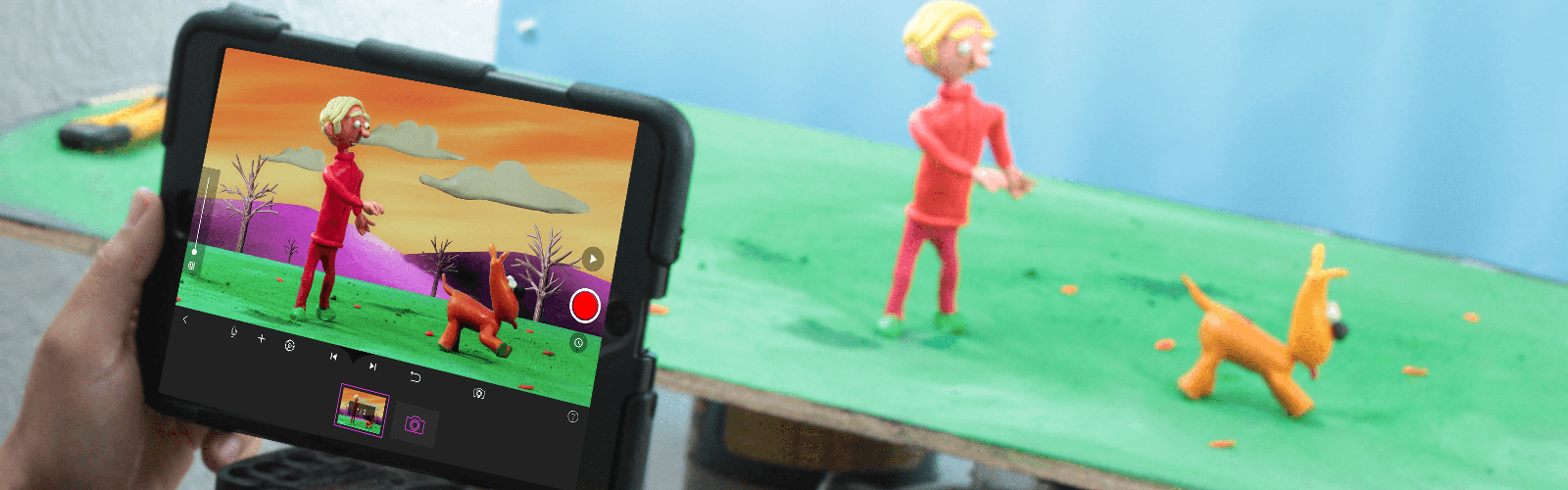
Make A Stop Motion Movie of Your Choice

Stop Motion Studio for iOS

Tips:
1) Think of an idea that you are excited about
• Movie ideas include short stories, commercials, spoofs, tributes, historical reenactments, music videos, advice segments, something being built or taken apart, a movie previews, video games, a scene from a famous movie, sports, etc.

2) Plan out your story
• Storyboard or outline your story

3) Keep it simple
• Make sure your set, characters, and story are manageable
• Your movies should have a clear beginning, middle, and ending
.
4) Guidelines
• Movies need to be “G” or “PG” and Summit Schools appropriate
• Think Pixar, Disney, PBS Kids, etc.
• Lego guns are not allowed (or any types of guns)

5) Crediting Sources
• If you use images or music that are not from iMovie, you must credit them at the end of your movie.

6) Think about your audience
• Students will see your movie, but so will parents, teachers, principals, and administrators. Make sure you create something you are proud to show.
• Entertain, amaze, make us laugh, tell an interesting story

Remember you can use all sorts of different materials to make a Stop Motion Movie you are not limited to just Legos. I have some examples below of Stop Motion Movies that were made with different materials as well as Legos. 

Video Examples for Inspiration


Candy Stop Motion 

Padlet Links 

Saving and uploading your Stop Motion Video 


If you need any help or have questions

 please feel free to email me at: 

april.leonard@ isd47.org


Monday, April 13, 2020

Virtual Field Trip: Farms


3rd grade
Discovery Virtual Field Trip Farms


1. Visit the link attached to this activity. It will take you to a website where you can take a virtual field trip to different types of farms!

2. Explore the different tabs on the website. You can learn about dairy cow farms, egg farms, grain farms, apple orchards, and so much more! Watch the videos and take a tour of the different kinds of farms.

3. After you have explored the farms draw a picture of your favorite thing on the virtual field trip of the farms.

4. Tap the mic option to tell us about your drawing and one thing you learned from the virtual field trip. "One thing I learned from the field trip was ______."


Links to Padlet (For response)


If you need any help or have questions

 please feel free to email me at: 

april.leonard@ isd47.org


Monday, April 6, 2020

Making a 22nd century home


3rd Grade

Making a 22nd century home


In this activity, you will watch a video on Sustainable Development. I know those sound-like big words so lets break it down. Sustainable means to be able to do something for a long time. Sustainable energy is wind, water, and solar. Development means to build and create many things like cars, homes, businesses, and many others.

1.  Watch the video

2.  Draw a design your 22nd century home (How will you heat it? Or cool it down in the summer? Get water? electricity?

3.  Label all the parts of your design

4. (Optional) then make a mockup (model) of your house using cardboard or paper.

5.  Take a video or a picture of your 22nd Century home.

6. Upload your picture or video to Padlet.

7.  Tell us about it in Padlet you can use the mic feature and tell about it or you can type your description.

8. Remember to put your name in the title of your Padlet post.

9. Have fun Your Imagination is Your Only Limitation!

10.Remember you have until next Wednesday to turn this in.


Sustainable Development video

What is Solar Power?


What is Hydro Power?


What is Wind Power?


If you need any help or have questions

 please feel free to email me at: 

april.leonard@ isd47.org


Friday, April 3, 2020

Stop Motion Challenge #2


4th & 5th grade
Stop Motion Challenge
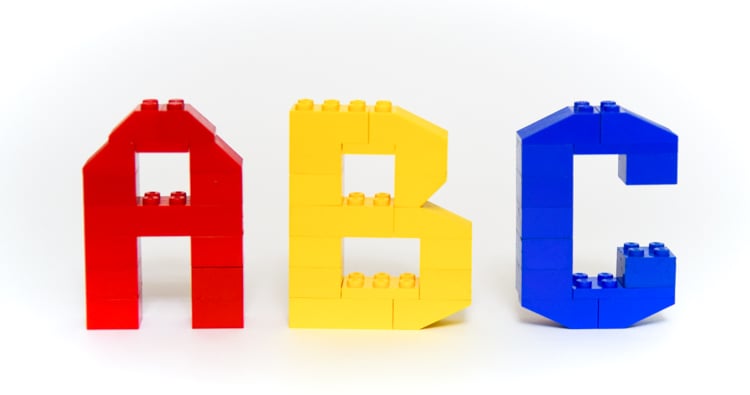
LEGO Alphabet

CHALLENGE #2: BUILD-UP OF A LETTER
1.  Make a small build-up of the first letter of your name or your initials
2.  Have the pieces come out and form the letter
3.  You must use all of the following: titles, (optional music…I added this by playing music from another device out load while I recorded, like the voice-over.) If you do add music make sure you give credit by taking pictures of the artist and their song title
4.  You need to use your pictures forward and backward to have your letter built and taken down.
Tips:
1.  Build the letter first and then plan out how it will come together
2.  For a more advanced build-up, have the Lego come out and then build the letter. You might want to slide the bricks on the baseplate rather than sticking them down each time.
3. Make a holder for your iPad if you do not have your kickstand use your imagination there are lots of ways to accomplish making your own iPad holder

Alternative Building Materials: If you don't have Legos you can use Play-doh, Blocks, Clay, paper, cardboard, or K'nex)


Link to Padlets


If you need any help or have questions

 please feel free to email me at: 

april.leonard@ isd47.org

Saturday, March 28, 2020

First grade Distance Learning Week #1


1st Grade Distance Learning Week #1


This is the first official week of distance learning.
We are all trying new things and hope that our students get the best we can offer. We don’t want families to feel stressed during this learning period, we recognize and realize that this will take a while before everyone finds a rhythm and routine. This week’s lesson is a simple beginning and hopes for new and exciting ways to share our learning.

Click on the link below to lead you to this week's lesson.


If you need any help or have questions

 please feel free to email me at: 

april.leonard@ isd47.org

Thursday, March 26, 2020

Kindergarten Distance Learning Week #1


This is the first official week of distance learning.

We are all trying new things and hope that our 

students get the best we can offer. We 

don’t want families to feel stressed during this 

learning period, we recognize and realize that 

this will take a while before everyone finds a 

rhythm and routine. This week’s lesson is a 

simple beginning and hopes for new and exciting 

ways to share our learning.

Click on the link below to lead you to this week's lesson.


If you need any help or have questions

 please feel free to email me at: 

april.leonard@ isd47.org


Tuesday, March 24, 2020

Be A Maker

Story Time:

"Be A Maker" by Katey Howes 

This story tells about how to be a "maker" and even what "maker" might do. 
The pictures are beautiful to look at 
with lots of fun little details to see on 
each page. I hope this book inspires 
you to be a creative "maker." 

Enjoy the story. 


If you need any help or have questions

 please feel free to email me at: 

april.leonard@ isd47.org


Monday, July 1, 2019

Coding in Elementary Tech

Learning to code is a fun journey. I have to say I have watched my students learn to communicate, problem solve, collaborate, and cooperate better than I could have ever imagined.
Is this is easy to teach? Yes and No. Kids are naturally curious they want to learn new things but they have to be interesting to them and they have to be able to see a reason for them to want to learn it.
So, what personal gain do they receive from learning to code? They get to create works of art or animate characters to share ideas with others in a fun and interesting way. Some students create games and put their own personal twist to it or they remix other's creations and add to it to make it even better.
Do all my students LOVE code? No, for some it is extremely difficult but they always try and even if they don't "love" it, they like it and want to master it.
How do I teach kids to code?
Each grade level I teach starts at different stages. In Kindergarten I start with using Code-a-pillars these are made by Fisher Price and are meant for preschool to age 6 to learn to code. This clever little insect robot can read different sections of code to move around the room. I create games for them to play and they are learning basic code with every segment they added.

Monday, March 18, 2019

Coding with Scratch


Scratch.mit.edu

I first encountered Scratch with an opportunity that came through my email, it was labeled "Learning to be Creative" and it was offered through Scratch for teachers and other adults to follow a series of lessons and share what they learned or even just talk about what sparked our interest. I enjoyed all the sharing and ideas others came up with. This was lead by students and leaders at MIT Labs and the first place I ever heard the "Lifelong Kindergarten" concept. 
Then I was hooked I wanted to teach my students code by using Scratch. It is not always easy but it is always fun. Some of my students have blown me away with their creativity, artistic abilities, and super coding skills! 
I have even used a program called CS First with Google and Scratch in collaboration, my fifth graders are using the program and are learning Game Design. These games start off as simple and build their skills up to help them learn and understand even more complicated code to create amazingly fun games. 

Here are some fun photos of my students using Scratch:


Monday, May 21, 2018

Bunny-Copters

How fast can you make a paper helicopter twirl?


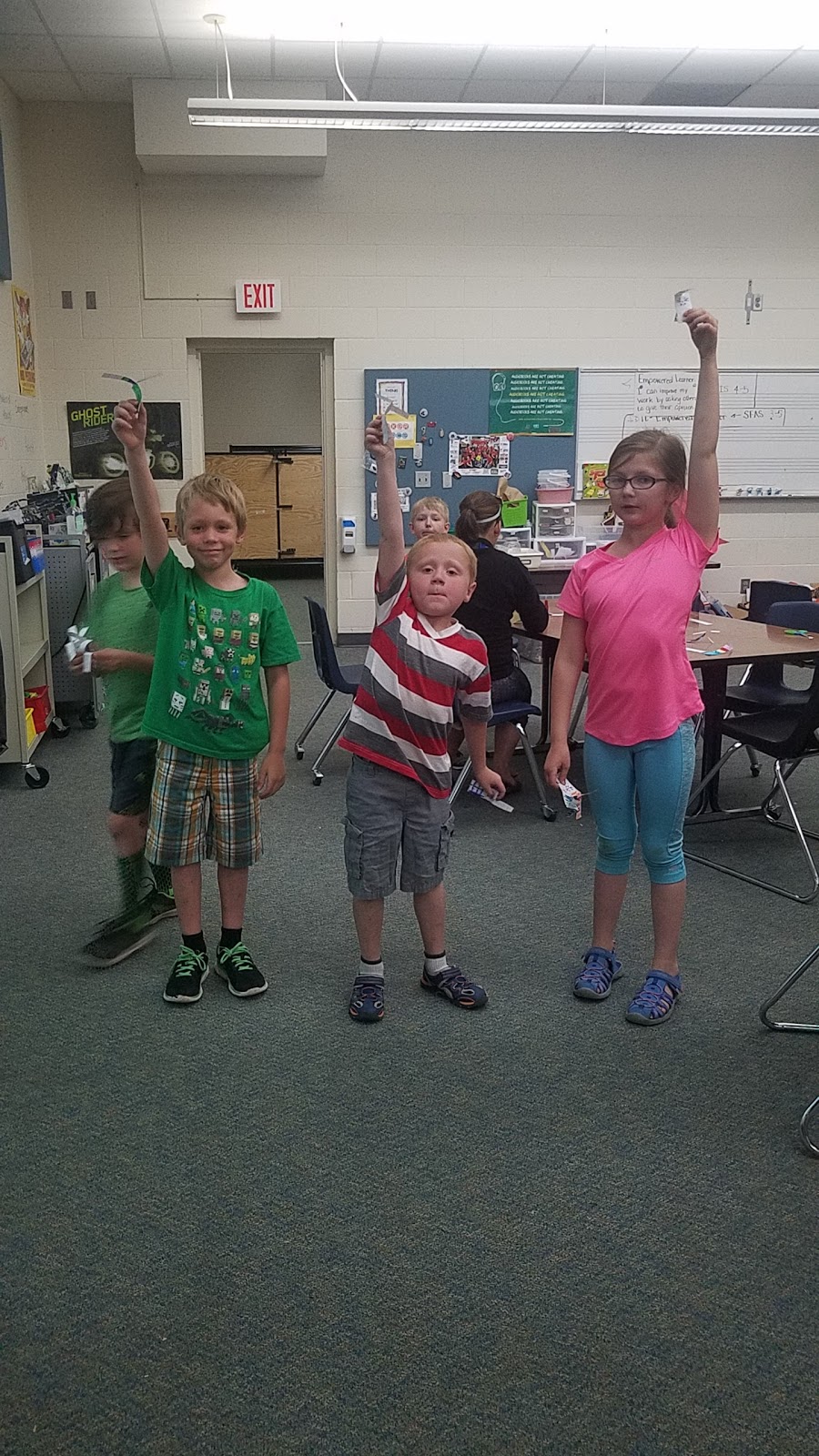
Students experimented with gravity and the effect of weight on velocity as they tried to make a paper helicopter twirl on its way to the ground. What would happen if you didn’t attach a paper clip? What would happen if you attached more than one paper clip?


Friday, May 11, 2018

Lego Challenges

Students were able to choose their own Lego Challenge they worked with a partner to construct the challenge and they shared their ideas and explanations.


Monday, February 26, 2018

Playdoh and Straw Tower (Engineering)

I decided that we would do a team building exercise, where students would work in pairs to build the tallest tower they could using only playdoh and straws. I enjoyed seeing many different ideas emerge from this challenge. I saw many failures but I was very encouraged by the fact they were willing to continue to rethink their plan and try again. I mean after all that is what it is all about, learning to accept failure but not letting it stop you from reaching your goals. Some students were more successful than others but we all applauded everyone effort. We reflected on the experience and what we would do differently if we did it again. The creativity the students have makes me excited about the rest of the year, the greater things to come!